

See how it works
From documentation URL to governed insights in six steps. No setup required.
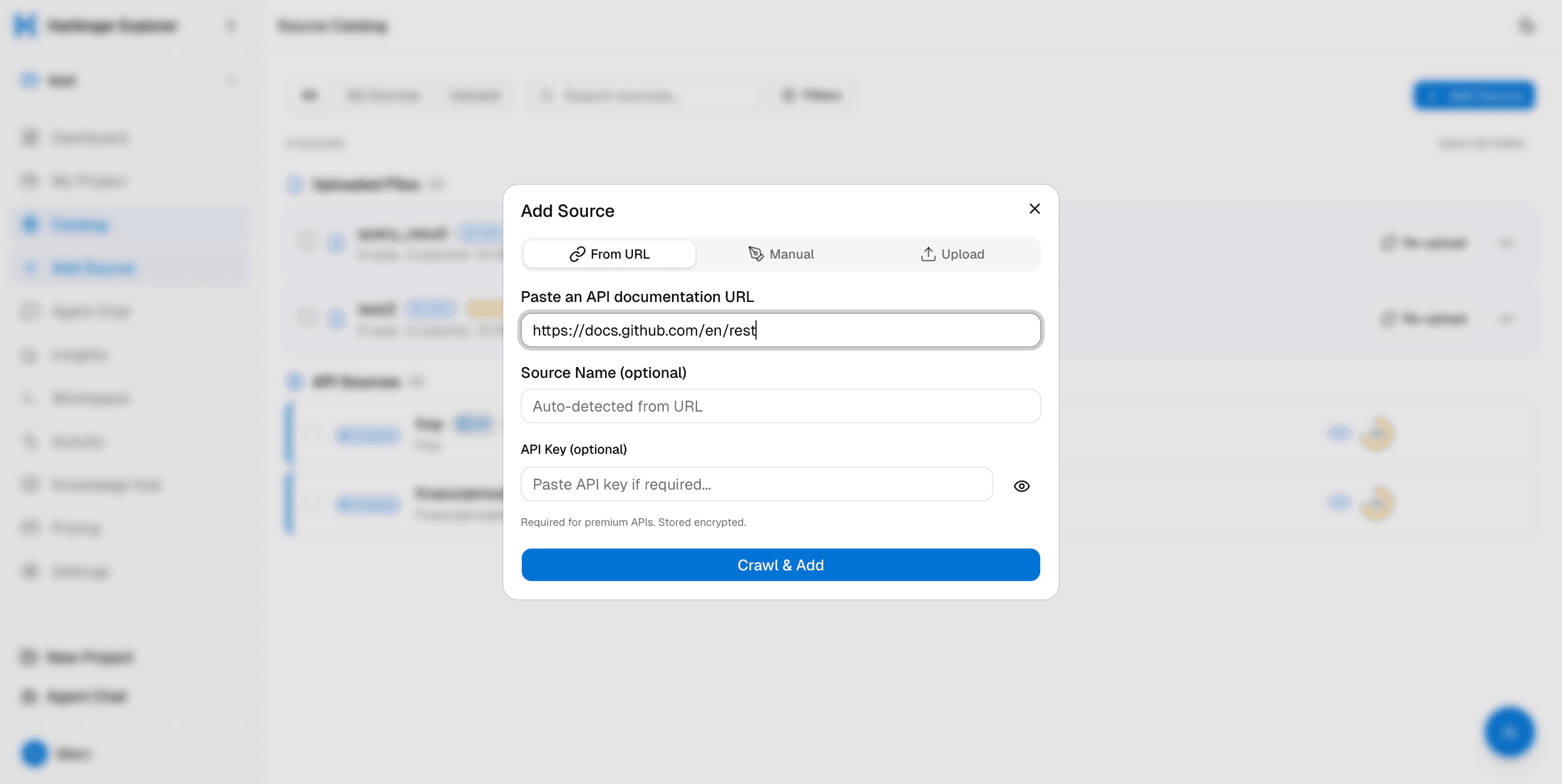
Paste a URL. Drop a file. Done.
Add any API by pasting its documentation URL — OpenAPI, Swagger, or plain HTML. Or drag-and-drop a CSV, Excel, Parquet, or JSON file. No config files, no YAML, no Terraform.
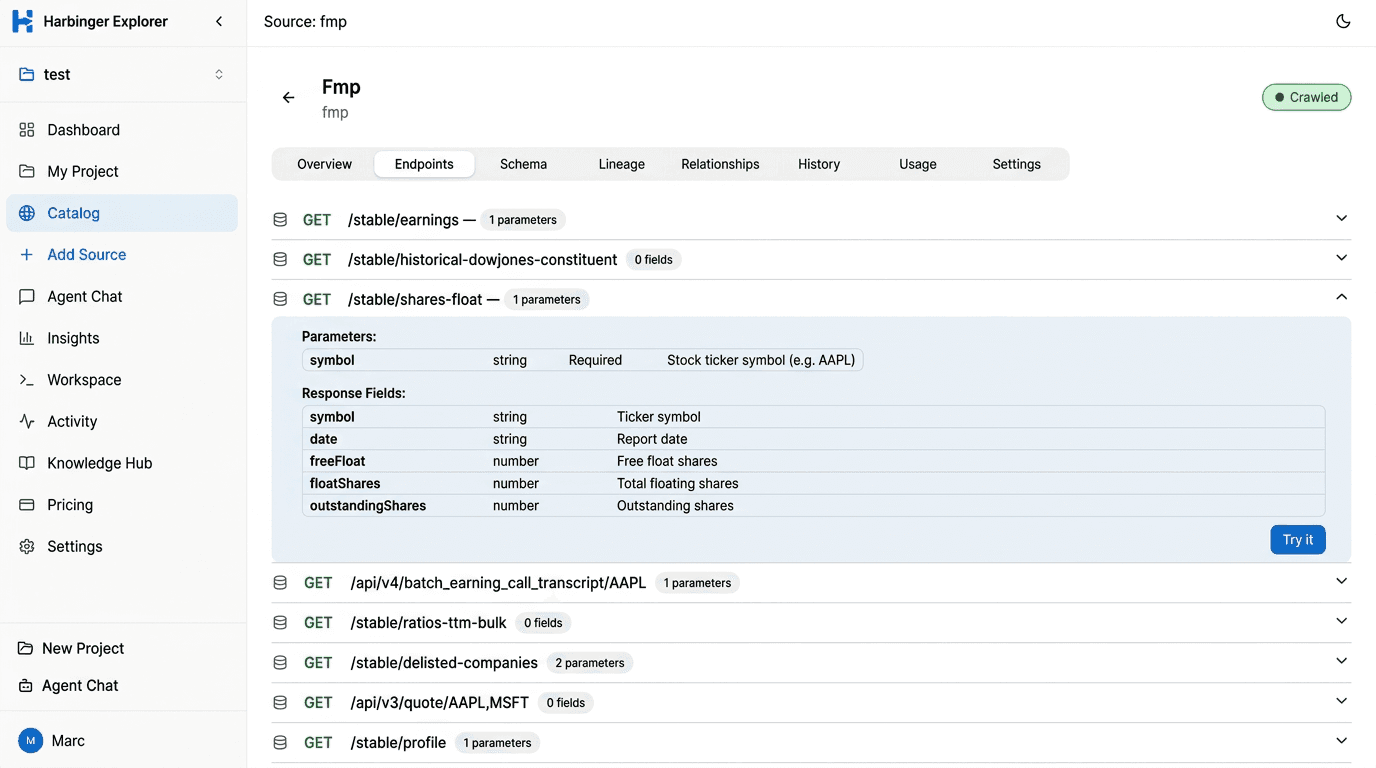
AI reads docs. You get endpoints.
The crawler analyzes documentation pages with Gemini and extracts endpoints, parameters, auth requirements, and response schemas automatically. Typical sources yield 15–70+ endpoints.
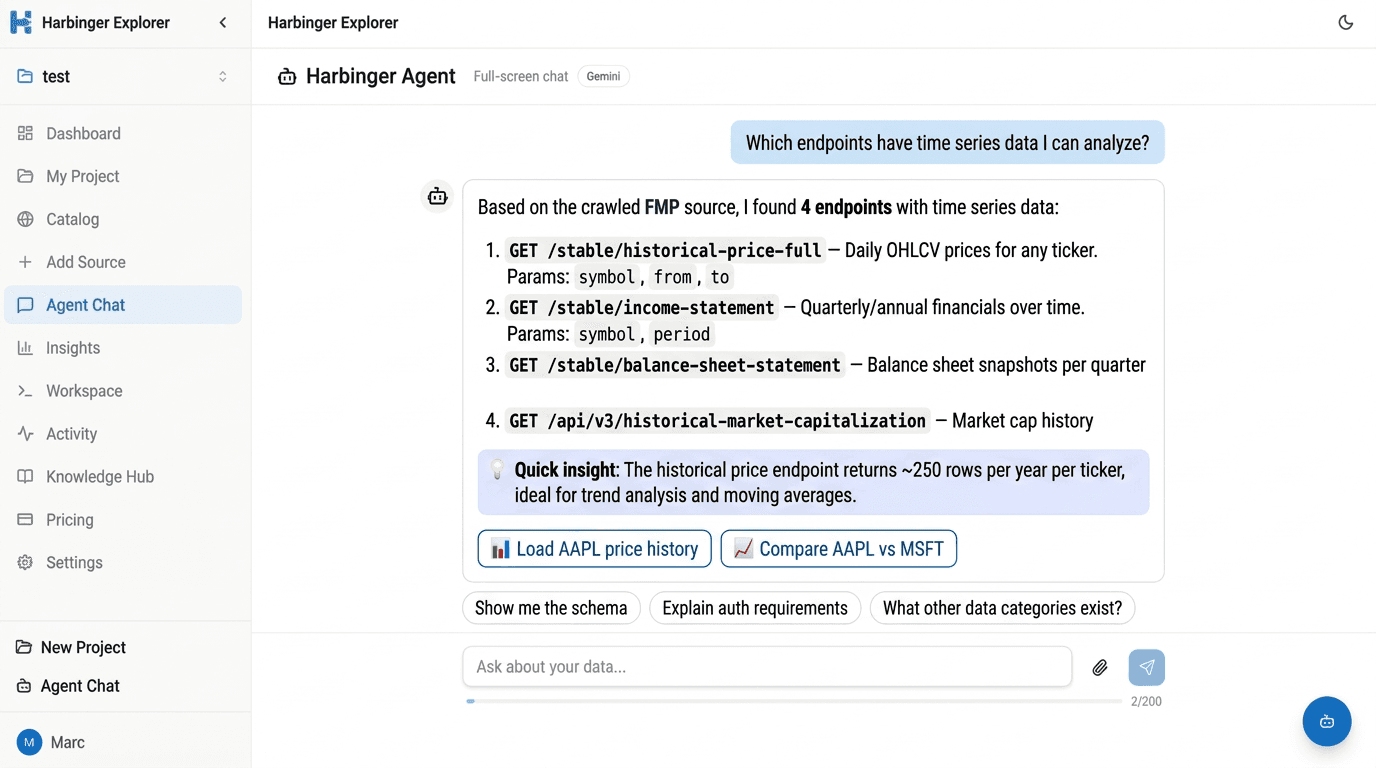
Ask the agent. It finds your data.
Ask a question like "Which endpoints have time series data?" — the agent searches your crawled APIs, explains what each endpoint returns, gives you quick insights, and offers to load the data into a table for instant analysis.
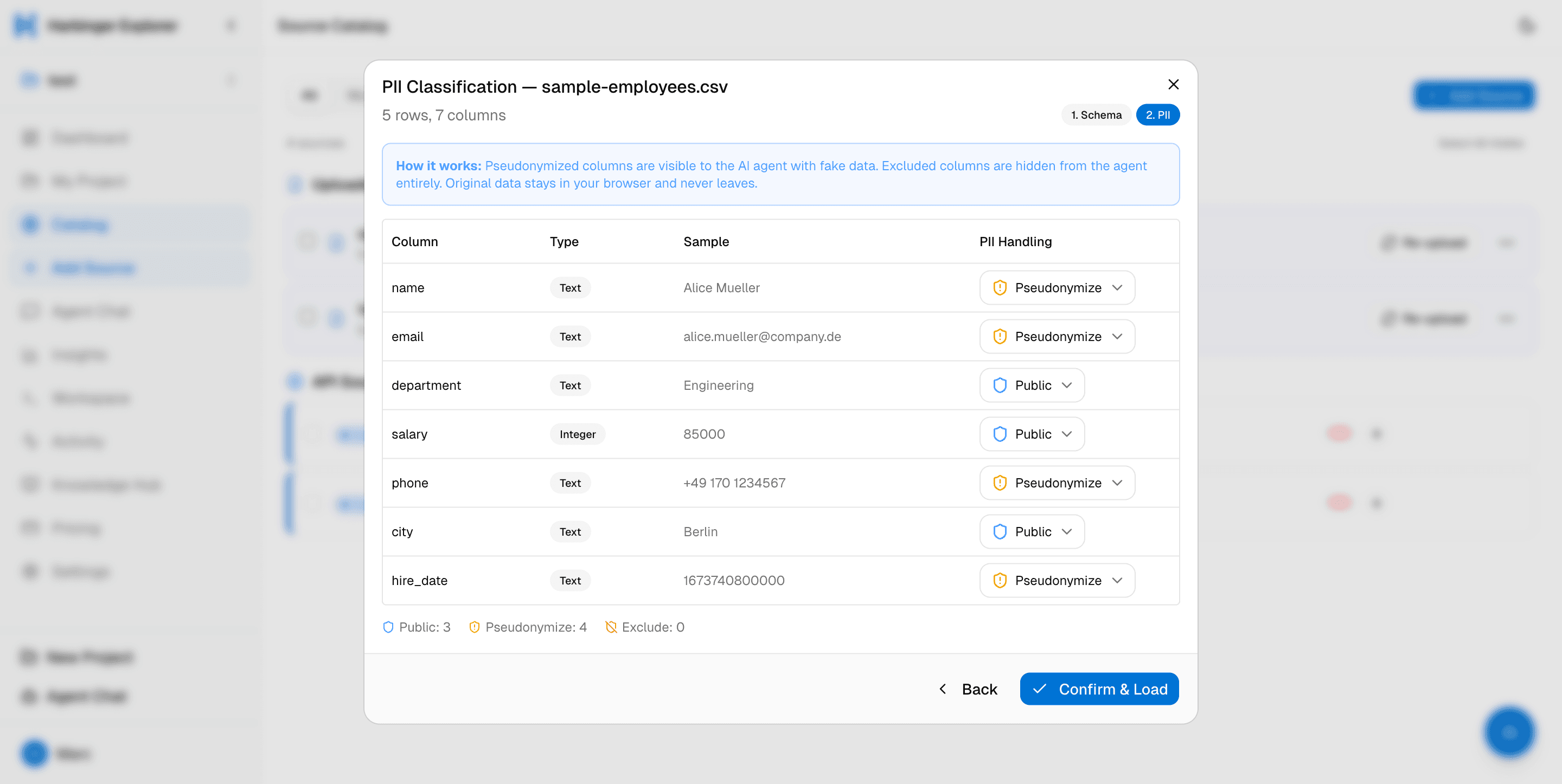
Upload any file. Govern every column.
Drag-and-drop CSV, Excel, JSON, or Parquet — any tabular format. On upload, every column is scanned for sensitive data: emails, phone numbers, IBANs, national IDs. Three modes per column: Allow, Pseudonymize, or Exclude. The agent only sees what you approve.
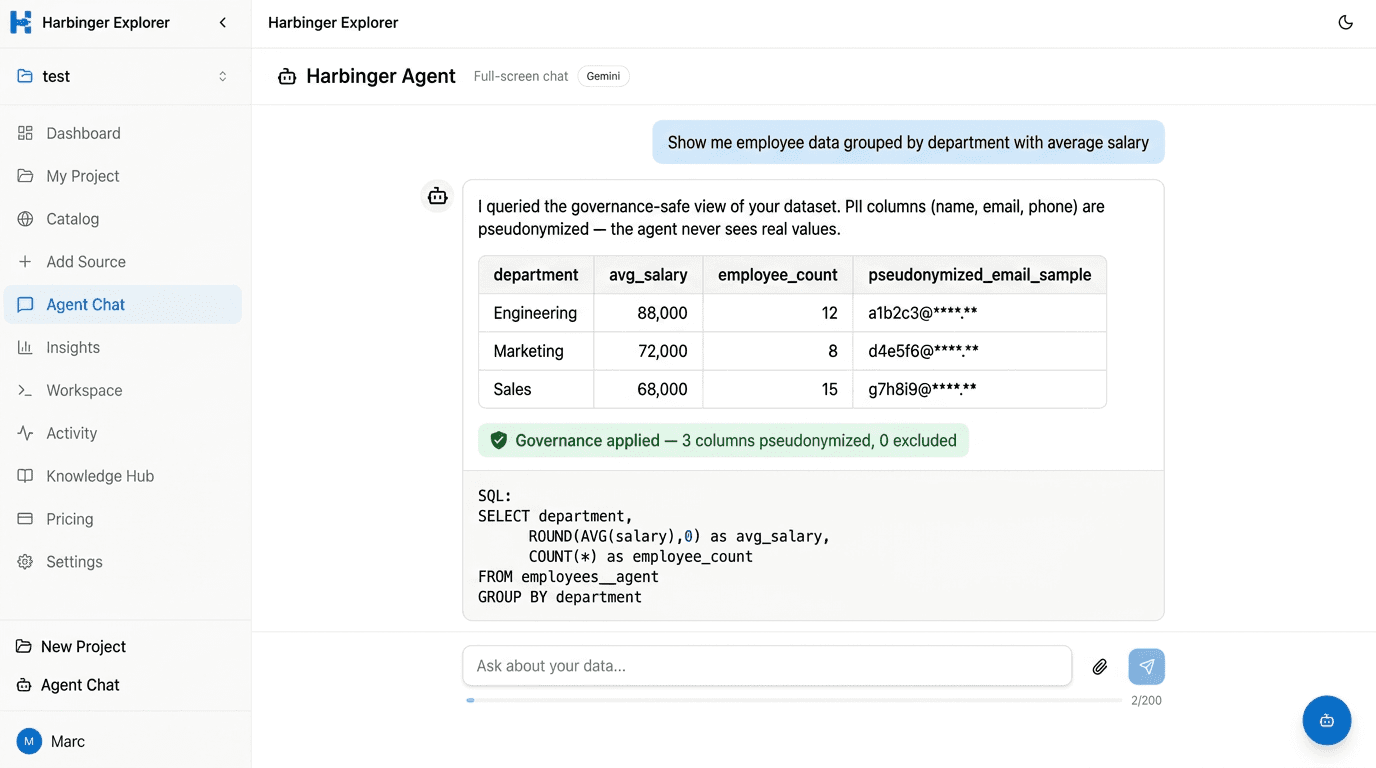
AI agent. Always compliant.
Ask the agent anything about your data — it only ever queries the governance-safe view. PII stays pseudonymized, excluded columns stay hidden. You get insights, not exposure.
Metadata, versioning, and lineage — built in.
Every source — API or file — lands in a unified catalog with full metadata, column-level governance, and smart versioning. Re-upload a CSV and it keeps history. Derive a new table via SQL and it tracks lineage back to its base tables. Relationships, tags, and health scores keep everything connected and auditable.
Ready to connect your first source?
Start free — no credit card required. Upgrade when you need more.